BUILT FOR OPERATORS
A working view for the people running the floor
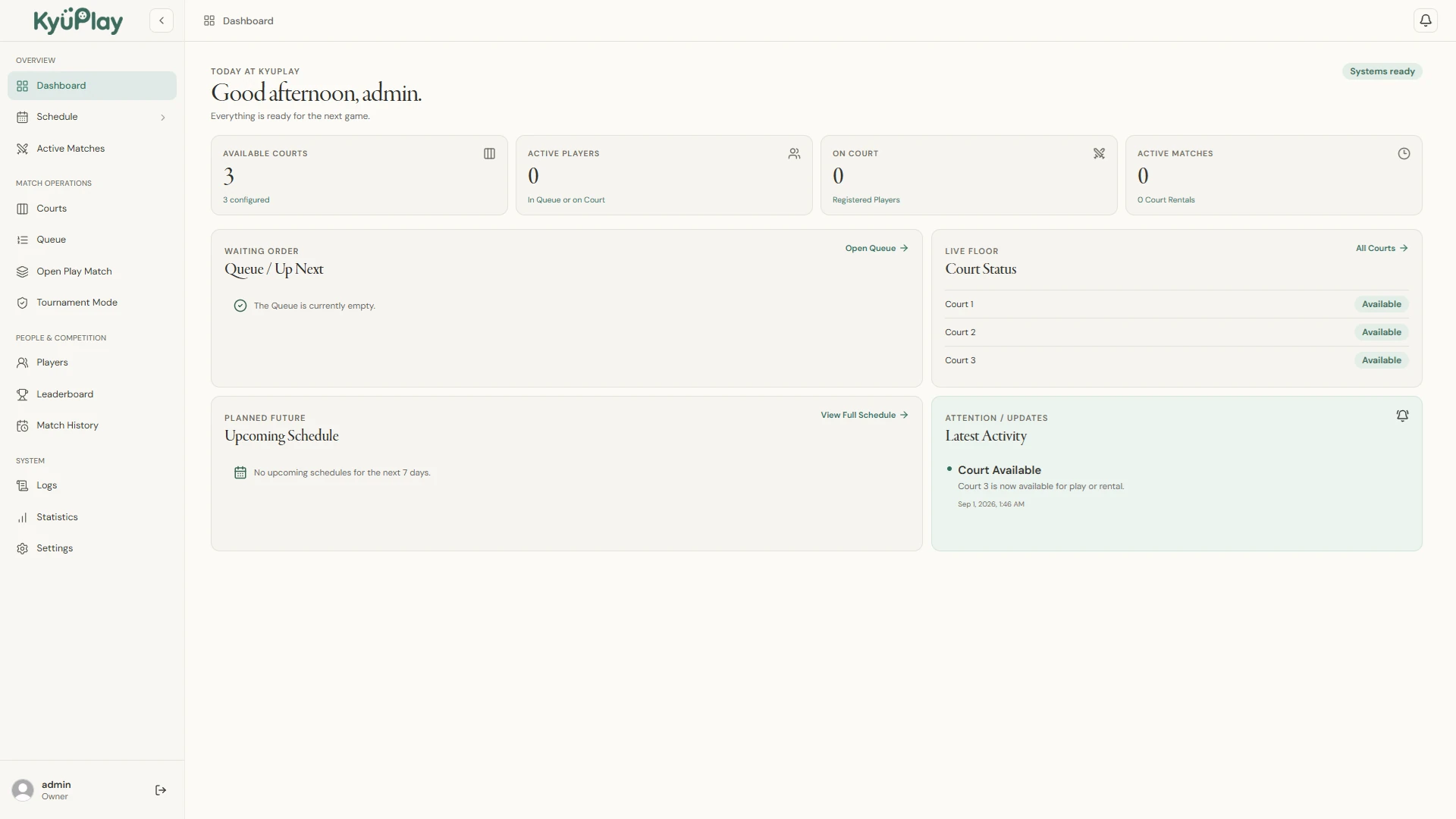
KyuPlay is designed for pickleball venues, clubs, facilities, and staff coordinating active court use. The live operations view keeps available and active courts in context with players, queues, and matches, so an operator can see what is happening without rebuilding the picture from paper notes or separate tools.
Staff can move a generated match to a court, follow the session as play begins and ends, and retain the result with the player and match record. For the waiting-order and rotation workflow in detail, visit the pickleball queue management page.
CONNECTED OPERATIONS
From an available court to a completed match
Each part of the session stays connected instead of becoming another handoff.
Courts and live status
See current court states, which courts are available or active, and where assigned matches are playing.
Open Play coordination
Manage waiting order, matchmaking, match generation, court assignment, and session progression from the same desktop.
Players and results
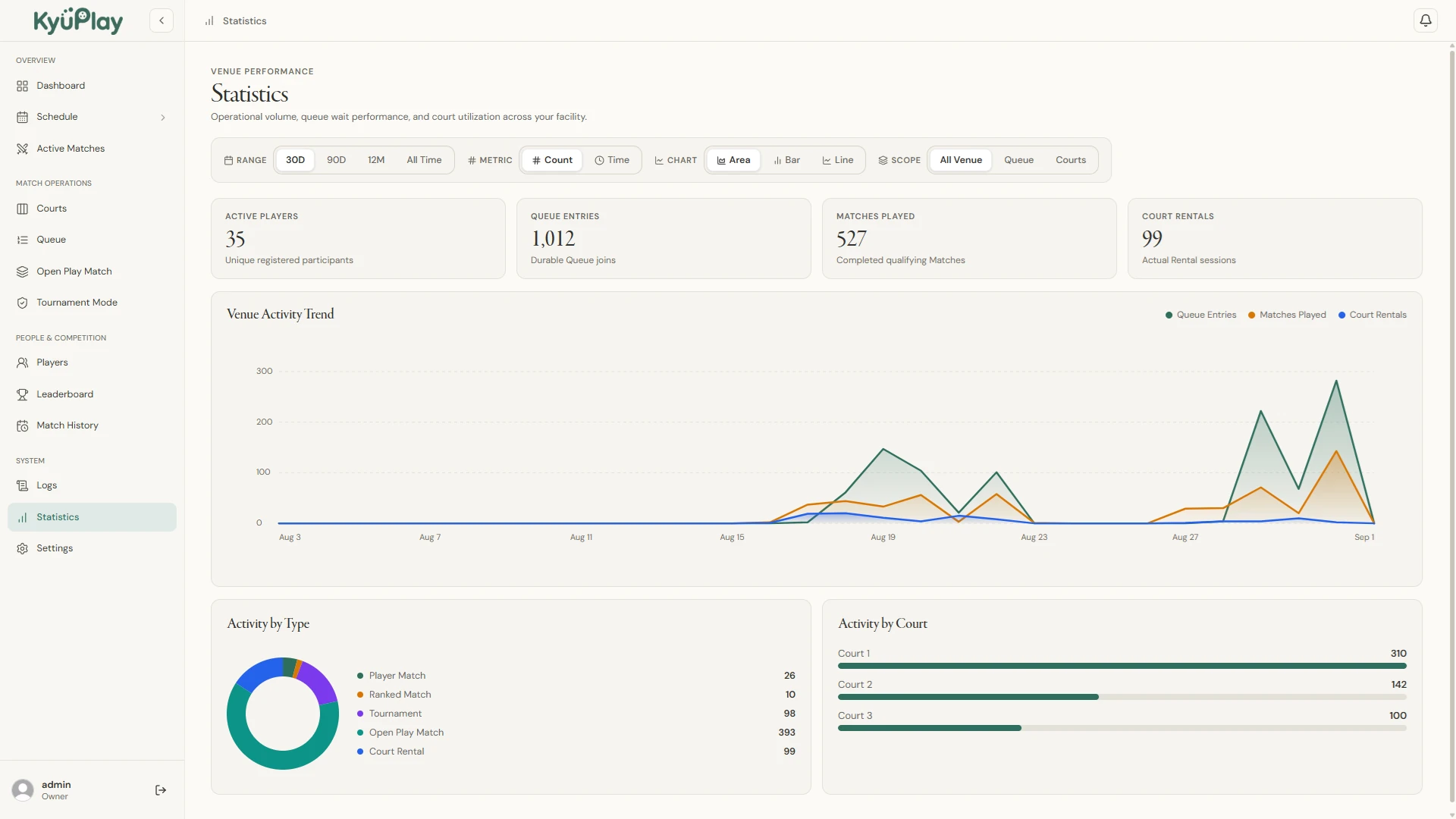
Keep registered players and guests connected to match history, rankings, leaderboards, and venue statistics.
Facility scheduling
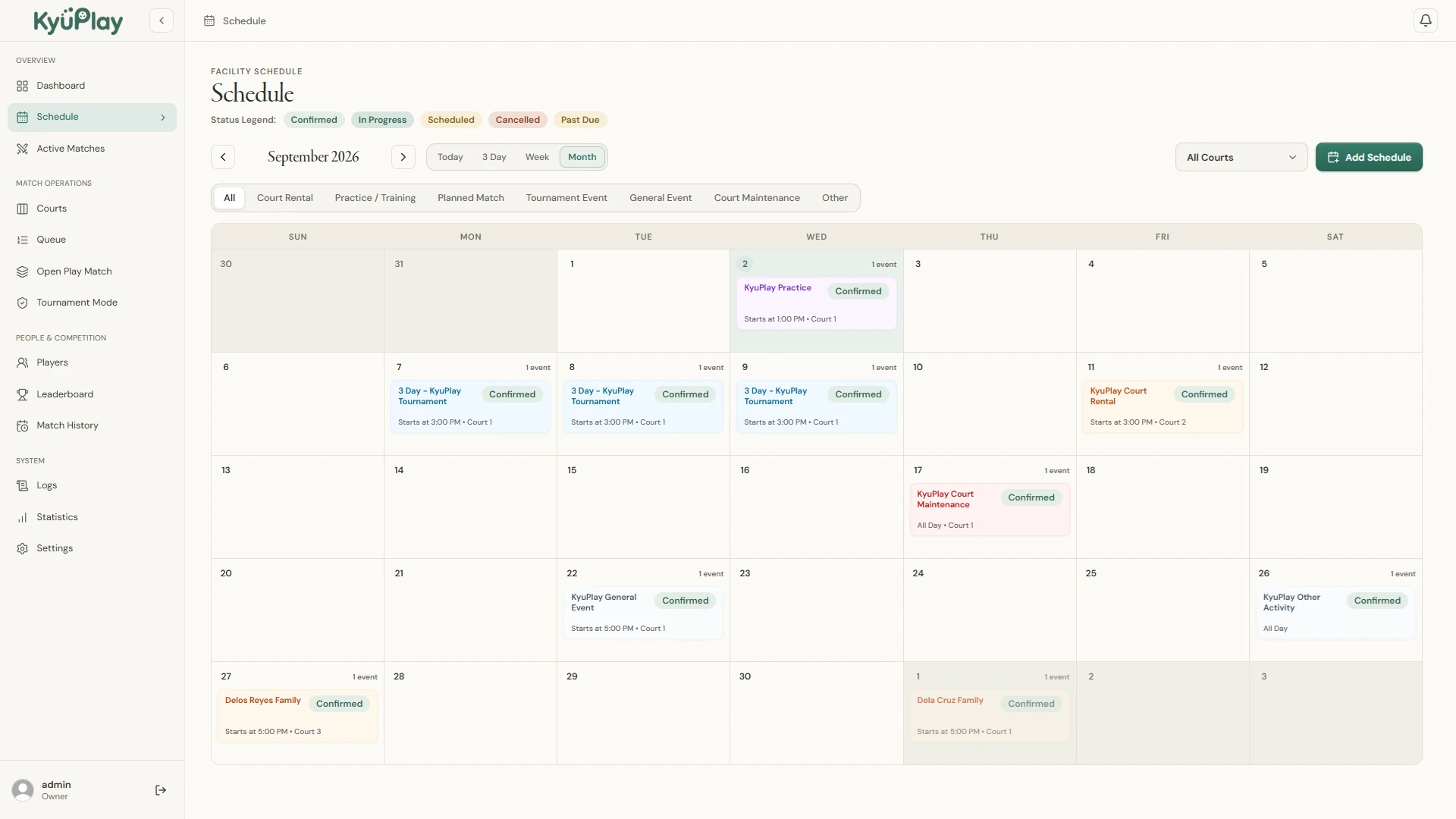
Plan venue activity by day, week, or month, including supported rentals, events, training, planned matches, and maintenance.
COMPETITION & COMMUNICATION
Tournament tools and a player-facing Live View
Tournaments
KyuPlay supports Singles, Doubles, and Mixed Doubles tournaments with Single Elimination and Double Elimination formats, including automatic and manual entry workflows.
Live View
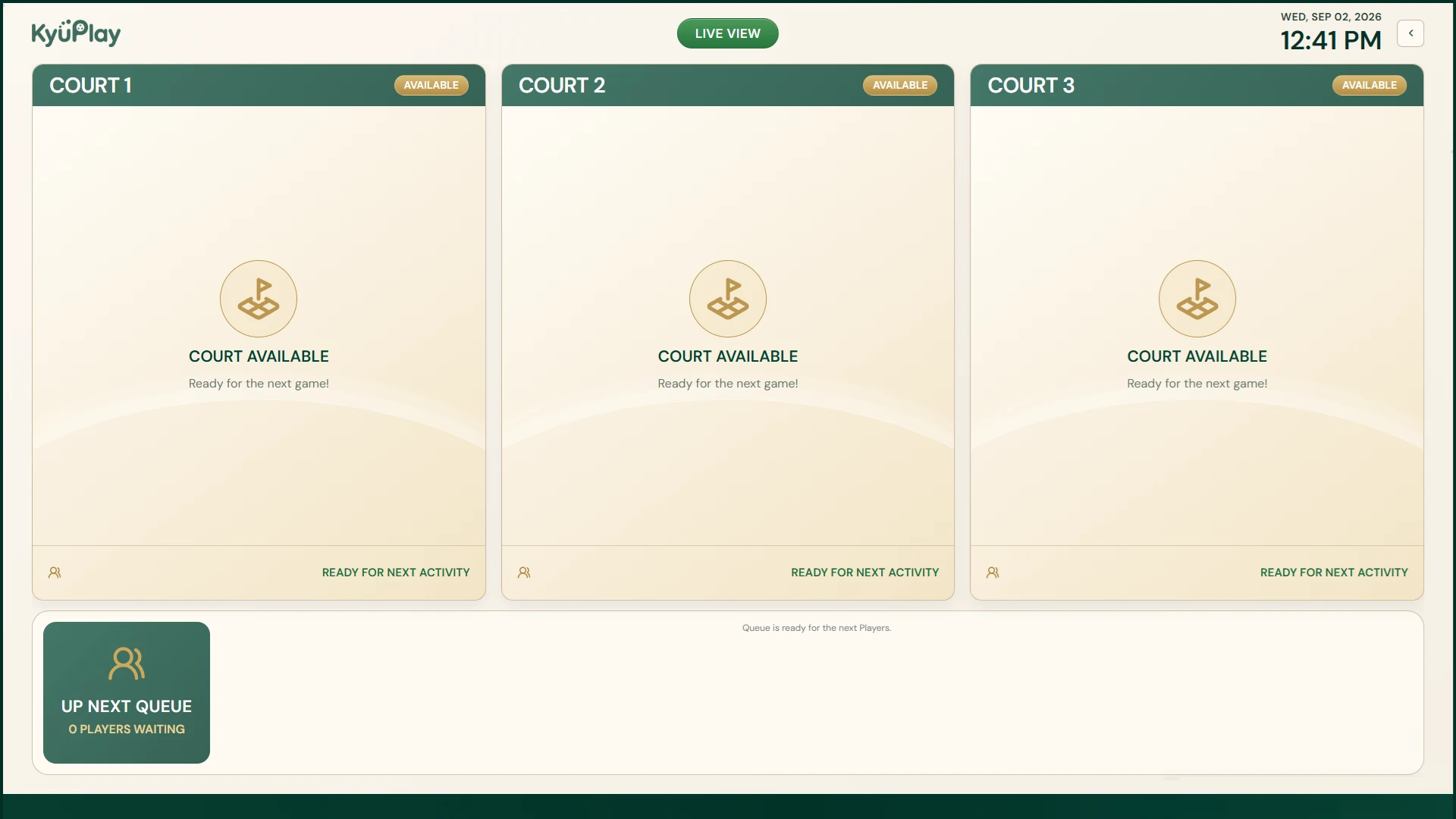
Show court states, current play, Up Next information, and player paging on a venue display while operators continue working from the main desktop.
DATA & PLATFORM
Local venue data with practical backup and export tools
Core venue operations and venue data are designed to run locally on the installed computer. KyuPlay supports compatible backup and restore workflows plus Excel export for supported operational information. Windows is the primary release; macOS is currently beta.
Clear product boundary
KyuPlay is not presented as an online booking service, point-of-sale system, payment processor, membership platform, or cloud synchronization service. Internet access may still be required for licensing, activation, installer downloads, and separately added online services.
Read the complete desktop and local-data model, check current releases, or compare current pricing.
REAL PRODUCT VIEWS
See the KyuPlay workflow
These are current KyuPlay desktop screens, not conceptual mockups.
READY FOR THE DESKTOP?
See the current KyuPlay releases
Review the live Windows and macOS beta release status before downloading.